AMarker 1.20
 AMarker provides you with alternative means to launch applications or prevent you from accidental clicking the mouse on protected areas.
|

 19.00
19.00  Trial
Trial 0K
0K
 Windows Vista
AMarker provides you with alternative means to launch applications or prevent you from accidental clicking the mouse on protected areas. It adds an artistic touch to your standard desktop.
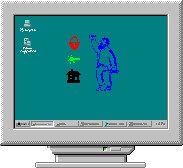
With AMarker you can easily draw colored transparent or hidden regions over the screen and assign a mouse-click action to the area.
To hide or show these areas, simply double click on the tray icon. This allows you to create a really cool menu instead of using boring icons.
The shape and position of menu items are limited only by your imagination! Use your own menu to launch applications or screen savers, shut your computer down, and open your most-used files and folders with just a click of the mouse.
The AMarker program supports "drag and drop" as well as preview, and has a simple interface. Use AMarker to protect your own desktop icons from erroneous mouse clicks.
With AMarker you can let your children use your computer without worrying whether they'll delete, modify or view important files. Your animated message will produce strong impression on them.
But wait, there's more! It's possible to trace and save to your log file all mouse activity and keyboard input.
Use AMarker to turn boring screen reminders into ones with unusual visual effects that you'll never overlook. Try our popup clock - even our four-year old child likes it.
Requirements
Limitations
tags your computer use amarker and keyboard disk space your own use your the mouse with amarker amarker you you can launch applications
Download AMarker 1.20

Purchase:  Buy AMarker 1.20
Authors software
Similar software
AMarker 1.20
UNIPHIZ Lab
AMarker provides you with alternative means to launch applications or prevent you from accidental clicking the mouse on protected areas.
 ActiveLaunch 3.0
GSI Software Research
ActiveLaunch - Do you want to select several documents and open them at once? Very often you have to launch the same applications several times.
 Launch Pivot 1.6
Interfaco Software
Launch Pivot offers an easy way to explore your computer and launch applications.
 Jet start 3.0
Code Sector Inc.
Desktop getting cluttered? Loosing valuable time finding programs or documents? Organize your stuff the way you want!
JetStart provides you alternative methods of launching applications.
 Launch Express 1.10.0
Nextriver Software
Launch Express is a small utility, but it makes a big difference.
 Mouse Lock 1.65
Segobit Software
Mouse Lock is an application especially designed to prevent unauthorized use of your computer.
 MouseLaunch 5.6.2
UInterface.com
MouseLaunch is useful program and file launcher which is activated by holding down Both Mouse Buttons.
 Simple Launch 5.0
Tweakassist Software Inc
Simple Launch is used for managing the applications installed in user's computer, it collects shortcuts of program into assorted categories, and avoids finding the shortcut from Startmenu or Desktop in disorder.
 EasyWay 1.0
ivProject
EasyWay is a small application that perform action by mouse gestures.
 MyLaunchMenu 1.0
BitDaddys
MyLaunchMenu - A simple and easy to use Quick launch menu that sets in your Task Bar.
Other software in this category

 WinNavigator 1.96
WinSoft
WinNavigator is a powerful and easy to use file manager.
 CuteZIP 2.1 Build 10.26.1
GlobalScape
CuteZIP offers superior ease-of-use, plus powerful security and archiving features for the most versatile compression utility on the market.
 Electrical Calculations 2.70.0.4
L.M. Photonics Ltd
Electrical Calculations software provides calculations for busbar and cable ratings, static and bulk power factor correction, motor starting currents and curves, enclosure ventiation, transformer calculations and many metric / imperial conversions and constants.
 mmSensitivity 2.07
MM&Soft Personal Service
Sensitivity Analysis add-in for Microsoft Excel 97, 98, 2000, and 2001 for Windows.

 RSS
RSS