neoDVD Back-Up 1
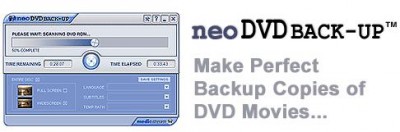
 neoDVD BACK-UP makes copying a DVD incredibly simple.
neoDVD BACK-UP makes copying a DVD incredibly simple. Just install the software, insert your DVD and get started.
DVD authoring software you can depend on.
neoDVD 7 offers an unbeatable combination of stability, performance, and value. Incorporating lessons learned over years of making industry leading DVD authoring software, neoDVD 7 is the only DVD video burning software you will ever need. We have listened to your feed back and are proud to offer you a software package that delivers the features and quality you demand.
Here are some key features of "neoDVD Back Up":
Massive file format support:
Video: AVI, DV, DivX, XVD, XviD, QuickTime (MOV), WMV, MPEG-1, MPEG-2, MPEG-4(**), VOB, IFO, and now Real Media
Audio: WAV, mp3
Digital Photo: JPG, BMP
Speed:
Hands down the fastest DVD creation software available. Real time video capture or file conversion to disc with a PIII 1.1 Ghz or better CPU. Please check our speed comparison chart.
Comprehensive DVD format support:
neoDVD 7 supports all DVD formats: DVD-VIDEO, DVD+VR and DVD-VR. No matter what DVD burner you own or what DVD format you upgrade to, neoDVD 7 is here to help you.
neoDVD 7 makes no compromises on performance. We believe that DVD burning software should have features that you really want. Such as:
16/9 wide-screen resolution - Watch your DVD on your widescreen TV.
Enhanced Audio Sync - We have gone the extra mile to make sure that your audio and video stay in sync, no matter what the original source.
Effortless DVD burner support - neoDVD 7 incorporates the latest automatic drive detection technology so that your burner is always supported.
Capture from your camcorder or VCR directly to DVD with true Direct to Disc recording - Press the button, write directly to the DVD disc, stop wasting time waiting for the disc to 'close'.
+VR and -VR set top recorder support - record on your set top recorder, cut out the commercials with neoDVD 7
Available Dolby Digital (AC3) Audio Plug-In - Unleash the power of Dolby Stereo on your DVD's Upgrade to Stereo Dolby Sound with our Dolby Digital (AC3) Plug-In. Enhance the DVD viewing experience by creating DVDs with high-quality audio output using neoDVD 7 and Dolby Stereo. Available NOW for just 14.99!
Automatic Disc Format detection - neoDVD 7 knows what disc format you are using and selects the proper output format automatically
Full motion thumbnails - give your discs that professional look.Custom Backgrounds - add you own DVD Menu backgrounds for a personal touch
Slideshow - Archive your digital photos on DVDAdjustable Quality Settings - Write up to 90 minutes of video on each DVD disc in 'Best Quality' or up to or up to 5 hours in 'Good Quality'. more info
Capture MPEG-2 files to your Hard DriveneoDVD supports all disc types - DVD+R, DVD-R, DVD+RW, DVD-RW, DVD-RAM, CD-R, CD-RW
Smart Buffering for capturing video with slower PC's
Disc Copy Mode so you can back-up your homemade DVD for sharing or safekeeping
Quick Eject for DVD+RW so you don't have to wait forever for your disc to be finished
Low system requirements - you don't have to buy a new PC to author DVD's with neoDVD 7
CAPTURE footage from your camcorder, VCR, or TV to DVD.
Easily transfer video from your Digital Video (DV) or Analog Capture device (such as a VCR or TV Tuner Card) to your computer and create your own personalized DVD or VCD. neoDVD allows you to save video on your hard disk drive in any of the following formats: AVI, MPEG-1, or MPEG-2 file.
Direct-to-Disc Recording :
This feature allows users to turn old home movies and videos into DVDs in a simple, truly one-step process. Instead of writing first to a hard drive buffer, neoDVD writes directly to disc. This reduces hard disk drive requirements and makes the process of creating a DVD easier than ever. Direct-to-Disc Recording is compatible with commercially available DVD+RW and DVD-RAM drives.
DVD+VR (+RW) Support:
If a user creates a DVD disc in DVD+VR format using a DVD+RW set top recorder, they can load the finished disc into neoDVD, add/delete video clips, rearrange the content, and then burn the changes to the same disc while maintaining the playback compatibility with existing DVD video players and recorders.
Supported DVD video and DVD+VR features include:
Create DVD directly from files, DV camcorder, analog or
TV tuner cards
Selection of predefined menu page layouts
Selection of predefined video thumbnail styles
Selection of predefined backgrounds
Change background, import your own background (jpeg, BMP)
Change thumbnail titles
Change thumbnail picture
Change Menu page title
Add/remove menu pages
Support hierarchical menu (2 levels)
Insert chapter points
Add audio overlay
Add video transitions
DVD-VR(-RW) Support
Totally brand new for version 7, neoDVD now includes the most extensive support for the Video Recording format (DVD-VR) for -RAM discs (*).
Supported -VR features include:
Import discs created by your living room recorder
Record -VR program from files
Record -VR program from DV camcorder, analog inputs and
TV tuner cards
Instant recording feature from live inputs, no frame lost.
Merge programs
Split programs
Export -VR program to MPEG-2 files on your HDD
Support -VR slideshow
Support play list editing
Playback -VR discs full screen
Trim
Change program or play list titles
Convert DVD-VR to DVD video
Add markers (segments)
Automatic DVD Format Detection
neoDVD 7 helps you to select the most relevant disc format, DVD-Video, DVD+VR, or DVD-VR. Because the authoring features of each DVD format are very different, MedioStream created one software module for each format: neoDVD video, neoDVD-VR, neoDVD+VR, and neoVCD
MODIFY discs created on DVD set-top Recorders.
By incorporating the industry-standard Video Recording (VR) feature into neoDVD, users can import disc content created on any DVD set-top recorder into neoDVD, perform additional editing functions or append video files stored on the computer's hard disk drive and burn the changes to the same disc!
PERSONALIZE your DVD or VCD project.
Add your favorite home videos, digital photos and background music then personalize the menu, trim unwanted video scenes and add transitions between clips before burning to DVD.
Make COPIES of your homemade DVD or VCD to share with friends and family.
Make copies of your homemade DVD or VCD video discs or video files stored on your computer's hard disk drive.
Smart Buffering :
Typically, when a PC lacks the minimum processing speed required for real-time performance, the software will either fail or buffer the incoming DV video onto the hard disk drive while waiting for the CPU to finish its current task. With Smart Buffering, neoDVD will cause the camcorder to pause instead of buffering the video onto the hard drive. By automatically controlling the camcorder, neoDVD can perform DV to DVD transcoding on PCs with as little as 400MB of Hard Disk space when using a DVD+RW drive.
Direct-to-Disc Copying :
When copying directly from one disc to another in the Copy Module, this feature allows users to make the disc copy in a simple one-step process. Direct-to-Disc Copying reduces the hard disk drive requirements and increases the speed of making a disc copy.
Quick Eject :
When creating a DVD disc, it usually takes some time to close the DVD creating session (approximately 15 minutes) regardless of the length of the video footage. With the Quick Eject function enabled, users can greatly reduce the time it takes to finish creating a short DVD when using a DVD+RW drive.
Requirements
Operating Systems: Windows 98SE, Windows Me, Windows 2 or Windows XP (Home/Professional)
CPU Speed:
Video Capture: Intel Pentium/Celeron or AMD Athlon/XP processor with a minimum clock speed of 1.2GMHz. (1.7GHz and higher recommended).
Authoring: Intel Pentium/Celeron or AMD Athlon XP processor with a minimum speed of 1GHz (1.5GHz and higher required for real-time performance).
Hard Disk Drive/Memory Requirements
Minimum of 5 GB of HDD space with at least 256MB of RAM
Graphic Card Requirements
AGP graphics card with a minimum of 8MB of video RAM
Video Capture Card Requirements
Analog Video Capture: Any analog capture card or TV Tuner card that supports WDM drivers
Digital Video Capture: Any OHCI-compliant IEEE-1394 (also known as Firewire or iLink)
Other Requirements
DirectX 9.0 or higher, Windows Media Player 9 or higher, Apple QuickTime 6.0 or higher
Limitations
30 days trial
nag screen
tags hard disk disk drive dvd video video capture set top dvd disc top recorder dvd format your dvd homemade dvd drive requirements the video for the
Download neoDVD Back-Up 1
 Download neoDVD Back-Up 1
Purchase:  Buy neoDVD Back-Up 1
Authors software
neoDVD Back-Up 1
MedioStream Inc.
neoDVD BACK-UP makes copying a DVD incredibly simple.
 Scene Composer Razor 1.5
MedioStream Inc.
Scene Composer Razor provides the easiest way to trim your video files.
Similar software
neoDVD Back-Up 1
MedioStream Inc.
neoDVD BACK-UP makes copying a DVD incredibly simple.
 neoDVD 7
MedioStream
neoDVD 7 offers you an unbeatable combination of performance, stability and value.
 Always Copy and Restore 1.59
1134i.com
Network file copying, copying of huge ammout of data has a big risk of network failure.
 DVD XCopy Pro 4.5.7.14
Michael Nolet
DVD XCopy Pro is a DVD to DVD copying software.
 EF StartUp Manager 22.03
EFSoftware
EF StartUp Manager - When starting Windows, a number of other programs are also started.
 CS Copier 1.0
CaldSoft
Do you ever leave your computer copying lots of files to a backup device for several hours and come back to find that Windows has had a problem copying one of the files and stopped the copy process only five minutes after you left.
 Right Autorun 1.0
PhotoActions
Right Autorun software makes your CD started automatically for what they supposed to do.
 iHCOPY 1.5.0.52
AGOSYS
With the help of iHCOPY you can rapidly print the current display content or insert it in WinWord pressing only the Print-screen key.
 PopArtPlus 1.0
Serif
PopArt is the art style originally popularized by Andy Warhol and is the inspiration for new Serif PopArtPlus, which makes it simple to instantly transform your own digital photos with dazzling PopArt style effects.
 DriveClone 3.1
FarStone Technology Inc
DriveClone is a hard disk utility that is used to back up or clone hard drives or partitions.
Other software in this category
 Ulead DVD MovieFactory 2
Ulead Systems, Inc
DVD MovieFactory is a simple disc burning and authoring tool for today’s digital lifestyle.
 DVD Ripper to MPEG 2.2
DVD Ripper to MPEG
DVD Ripper to MPEG is a simple to use program to convert DVD movies to MPEG format.
 DVD Ripper to AVI 1.9
DVD Ripper to AVI
DVD-TO-AVI is a very easy to use program to convert any DVD movie to a AVI movie.
 Super DVD ripper 2.39i
Super DVD ripper
Super DVD ripper is an easy-to-use DVD ripping and copying program which can copy DVD to DIVX AVI files or MPEG1 MPEG2 formats.
 CopyDVD 6.01
RizalSoftware
Copy DVD is a helpful software in convertig DVD formats into others.

 49.00
49.00  Demo
Demo 0K
0K
 Windows Vista

 RSS
RSS